Home
Import Utility
Introduction
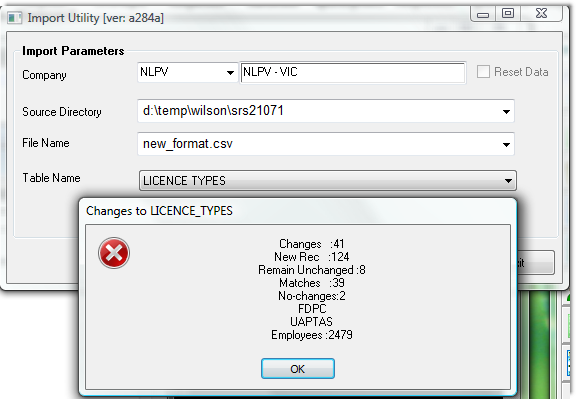
To bulk import new license codes into PowerForce, use the following screen.
- The process will load in all the codes defined in the .csv file, and then
- Change all the values where a column (A) entry exists into the value in column (B), for the employees of the selected company
- A brief summary of what was processed is shown. In the example below, the message shows that there are no existing code records for "FDPC" & "UAPTAS".
Top of Page
Input File Format
The above logic was coded on the basis of the following excel layout, including line number and column positioning.
- Ensure that your file has been converted to .csv format.
- Ensure that the column headers are exactly as below. The code looks for line 1 being exactly as in the image below.
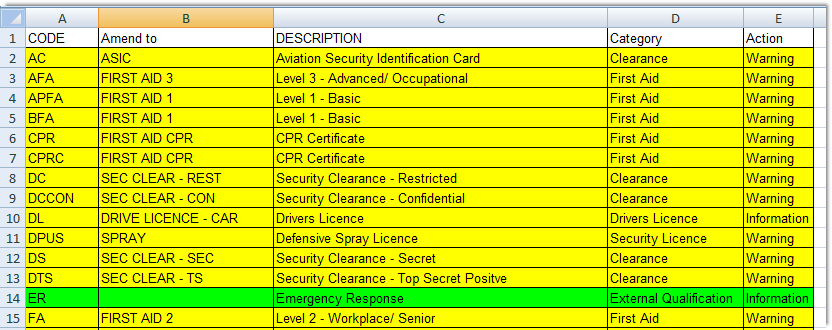
The logic is as follows:
- Every code found in column (B) will be created as a code in the table "LICENSE_TYPES"
- If there is a code in column (A), then all employees in the company selected, whose records are active (no termination date, and the inactive flag is not set), will have their License Types changed from the value in Column A, to the equivalent value in Column B.
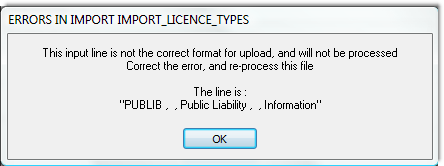
If the input line is not of an appropriate format as the example image below, you will be presented with an error message and processing will halt at that line. You then need to correct the error and re-import the file. Note, that no updates to employee data have been made until the complete file is processed.
Please note, that the code does not delete any previous License_Types records. i.e. the Codes changing from old to new, the old code will remain in the system after all the employee records are changed.
Top of Page
Summary
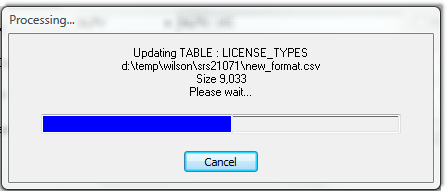
The successful operation of this process will display an image similar to the following:
Top of Page
See Also
 PowerForce Controls PowerForce Controls
|