|
Home > Tutorials

Citrix Logon - PowerForce™
Introduction
Depending upon the mode of access into the Georgiou network, you may connect over the wide area network through Citrix.
| Getting There:
[ N/A ]
|
Introduction
You will have been provided instructions on how to connect to the network and on connecting your first screen is likely the following:
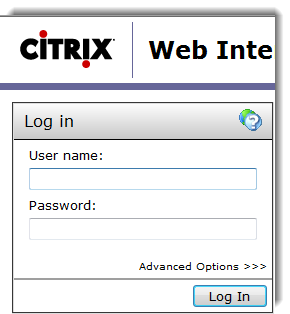 Enter your User Name and Password as provided and then Press Log In. Enter your User Name and Password as provided and then Press Log In.
Top of Page
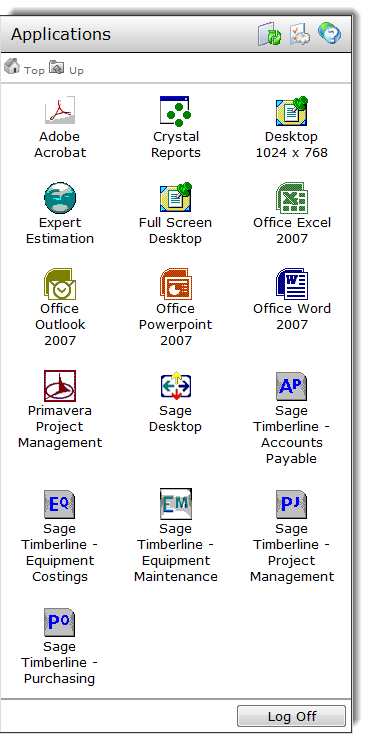
The Citrix Application Menus
The following screen may be indicative of your own setup, the details of the applications will vary based upon your particular needs and access levels.
Top of Page
Connecting to the Server
Once you select the relevant icon to connect to, (in our case, we've selected the Desktop) the logon process proceeds through to the final target, as per
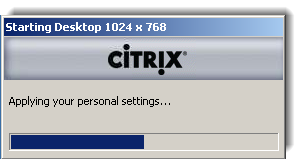 This is a visual queue that something's happening whilst the server organises your desktop layout. This is a visual queue that something's happening whilst the server organises your desktop layout.
Top of Page
Starting up the time sheet application
In this example the time sheet application is represented on the desktop as follows:
 Double click on it to start up your timesheet entry. To logon into the timesheets application, click on this link. Double click on it to start up your timesheet entry. To logon into the timesheets application, click on this link.
Top of Page
See Also
 PowerForce Controls PowerForce Controls
The Timesheet Logon
Top of Page

Article updated by PowerForce Software on Wednesday, November 3, 2010.
Copyright ©2007-2013 Envizion Systems - All Rights Reserved - Terms of Use.
|